Sound Design (Pass 2): Script Modulators
The sequencer script can target any processor in the layer with per-note modulation values, but it needs a way to route those values to specific knobs. For the predefined targets (volume, tune) that routing is built in; for everything else — wavetable position and filter envelope intensity — a Script Modulator component is required. This short pass adds two of them and records their UIDs for the script.
Add the Script Modulators
Section titled “Add the Script Modulators”In the main.flr layer editor, switch to the Modulators tab in the
processor list and add two Script Modulator components.
Drag the first script modulator onto the WTPos knob in the source processor. Drag the second onto the intensity fader of the filter envelope — the horizontal fader at the bottom of the filter processor.
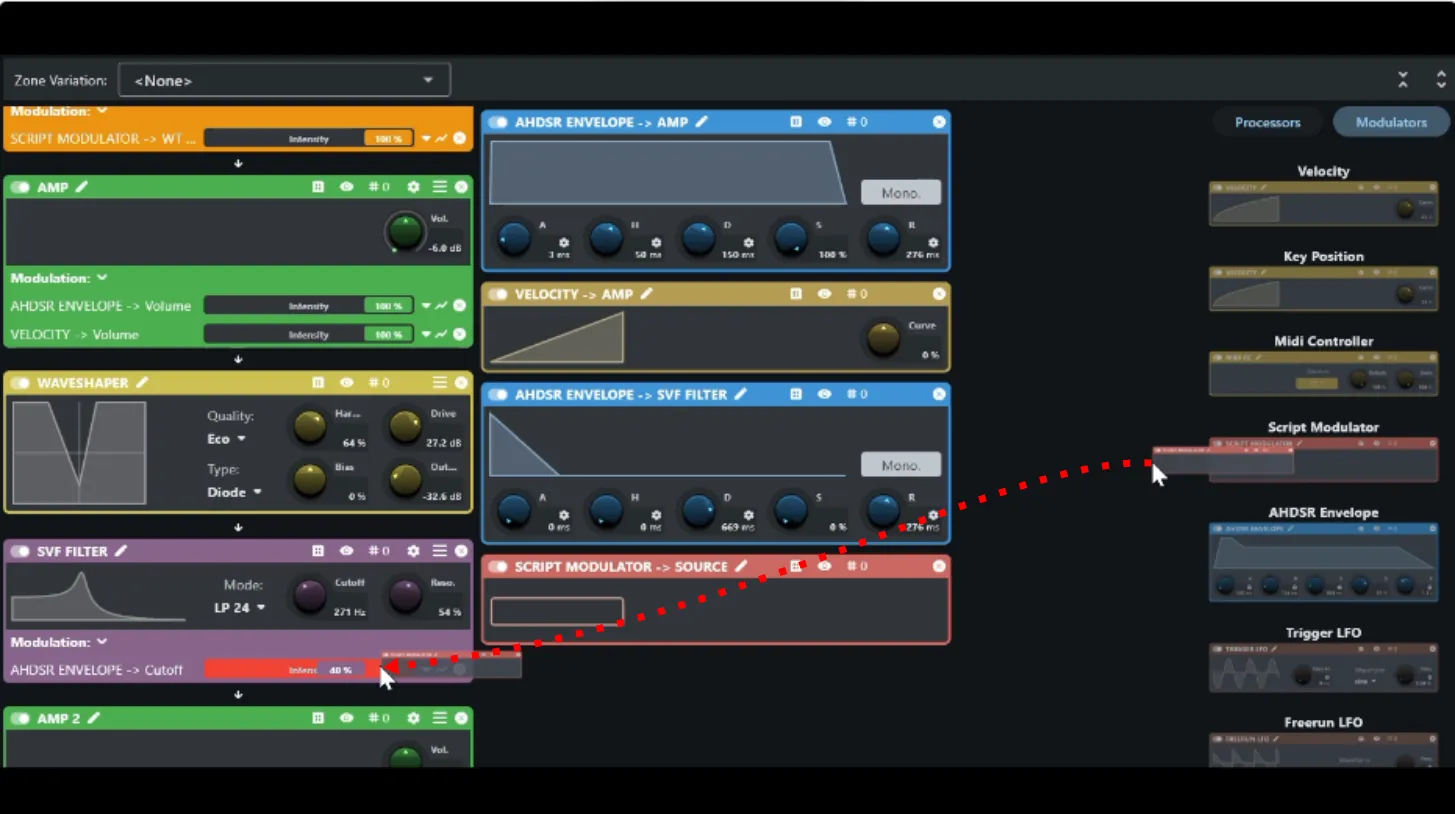
Copy the Script Modulator UIDs
Section titled “Copy the Script Modulator UIDs”Each script modulator has a UID the script needs in order to address it. Right-click the modulator’s name in its headline within the layer editor to copy its UID.
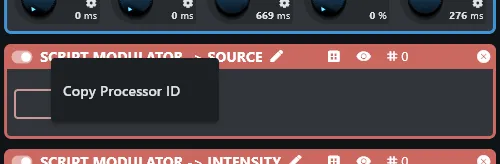
Script modulators are processors, not parameters, so the context menu only offers Copy Parameter UID here — the naming feature does not apply.
Note both UIDs down — they will be pasted into the script in the next pass.